
 Install
 Home Pastel alternative
Pastel alternative

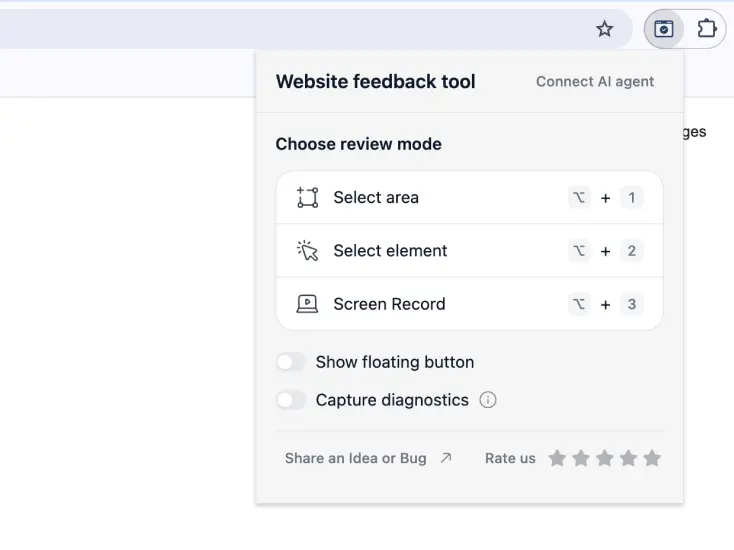
Website Feedback Tool is a Chrome extension that lets you drop comments straight onto a live web page — a lighter, browser-based alternative to Pastel. If you've used Pastel to collect feedback on a site and want something that runs right in your browser instead of a hosted canvas, this does the same core job.
Both tools solve the same headache: people describing bugs in words ("the button on the pricing page, near the top, is a bit off") when a pin on the actual pixel would've said it in a second. Here's how they line up, and where each one fits.
What Website Feedback Tool does
You open the extension on any page and start marking things up. No project to set up first, no code to paste into the site.
- Click an element to pin a note to it, or drag a box around a broken area.
- Record a short clip when something only makes sense in motion.
- Everything lands in one review you can share as a link, or export to PDF/HTML.
- Push the whole batch into Claude Code or Codex and let your AI agent do the fixes.
The longer version of what it does is on the feedback tool for website page.
How it compares to Pastel
Pastel is a hosted canvas: you sign up, create a canvas, and load a URL into it to collect comments. Website Feedback Tool skips that and runs right on the page in your browser. The short table:
| Website Feedback Tool | Pastel | |
|---|---|---|
| Runs as | Chrome extension, right on the page you're viewing | Hosted canvas — you load a URL into it |
| To start, you | Install the extension — that's it | Sign up and create a canvas first |
| Works on | Any page in your browser — live, staging, even behind a login | Public URLs you load into a canvas |
| First comment in | Seconds — on the page you're already on | After the account and canvas are set up |
| Turns feedback into | Code fixes, straight into Claude Code / Codex | Tasks in Trello, Asana, Jira or Zapier |
| Price | Free | Free plan is 1 canvas; paid from $35/mo |
Pastel is a real, well-built product and its plans change over time — check their site for the current details before you decide.
Where the two really differ
To be fair, some things are the same: both let you mark up a page, and on both your guests can leave comments without making an account. The real differences come from one being an extension and the other a hosted canvas:
- It runs on the actual page. Because it's an extension, it works on whatever's in your tab — a live site, a staging URL, even a page behind a login. Pastel loads a URL into its own canvas, which suits public pages.
- Nothing to set up. You install once and start. There's no account to create and no canvas to make first before the first comment.
- It's free. The whole loop is free. Pastel has a free plan (one active canvas at a time), and steady use starts at $35/mo.
- It goes straight into code. Push a review into Claude Code or Codex and your AI agent makes the fixes — not something a hosted feedback tool does.
If you mostly hand work to developers, the developer and QA page walks through how a review turns into fixes.
Where Pastel might still be the better pick
I'm not going to pretend it wins every time. Pastel has been around longer and leans into the hosted, team-account side of things. Reach for it when:
- You want built-in integrations — it pushes comments into Trello, Asana, Jira or Zapier out of the box.
- You need feedback on more than live pages — Pastel also handles images, PDFs and mood boards in the same canvas.
- You want every canvas stored and organised in one shared team account, with saved versions and video storage.
- You've built a client-approval flow around a hosted dashboard and don't want to change it.
- Your reviewers are on a browser where you can't install an extension.
For everything else — a designer catching layout bugs, a founder reviewing a landing page, an agency collecting client notes — the browser version is usually less friction. Designers in particular tend to like it; there's a short write-up on the designers page.
Switching from Pastel
There's not much to switch. Install the extension, open the page you were reviewing, and start pinning comments. No project to recreate, no team to invite first — you can have a review going in about a minute.
Still shortlisting? There's the same breakdown against Markup.io, the other hosted platform people usually weigh this against.